
If you own an iPhone, you should know this trick for restart iPhone. Whether your iPhone is giving you trouble, not getting a proper network signal, experiencing glitches, or freezing, you don’t need to worry.
Today I will teach you how to restart your iPhone. I’m sure you’ve never heard of this technique before. This is a hidden Apple technique called Force Restart. It can get your iPhone out of any difficult situation.
This is possible on all iPhones, but the method is slightly different. Let me tell you how you can Force Restart on every iPhone model,
iPhone 6s, 6s Plus and iPhone SE (1st Generation)
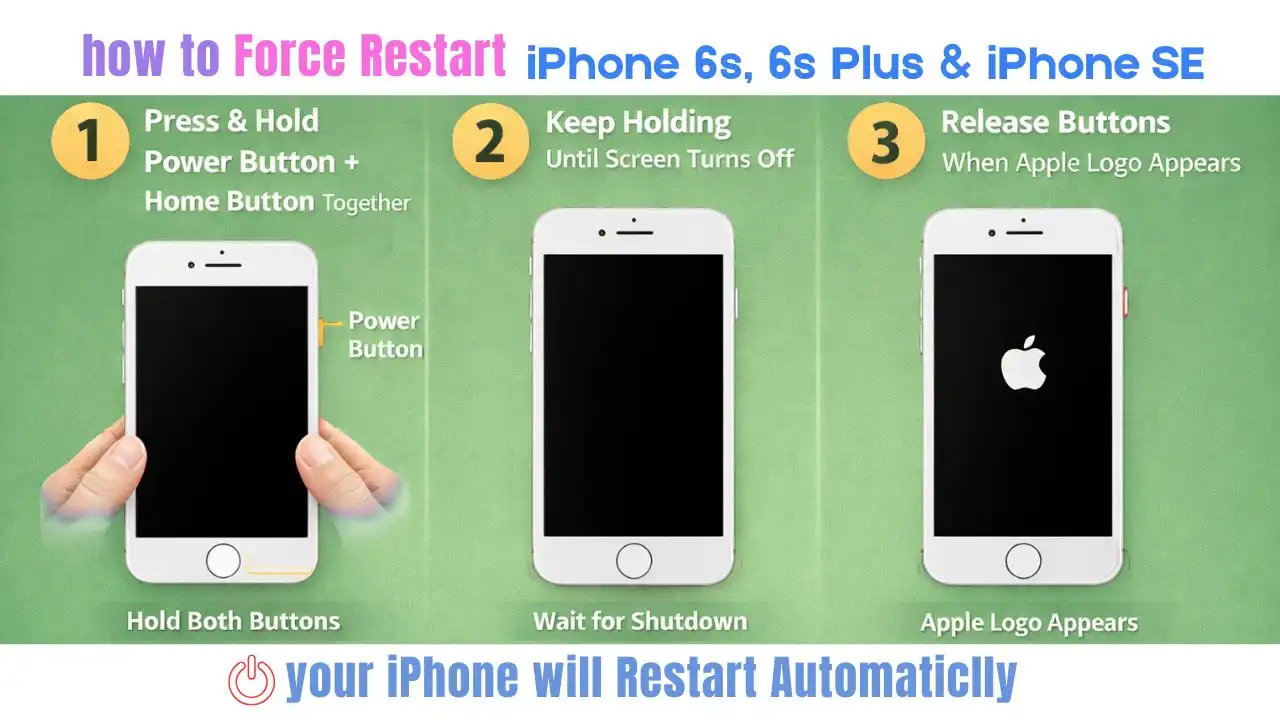
Press and hold the Power Button and Home Button simultaneously until the phone switches off. After switching off, the phone will automatically turn on. As soon as the Apple logo appears, release all the buttons.
iPhone 7 and iPhone 7 Plus
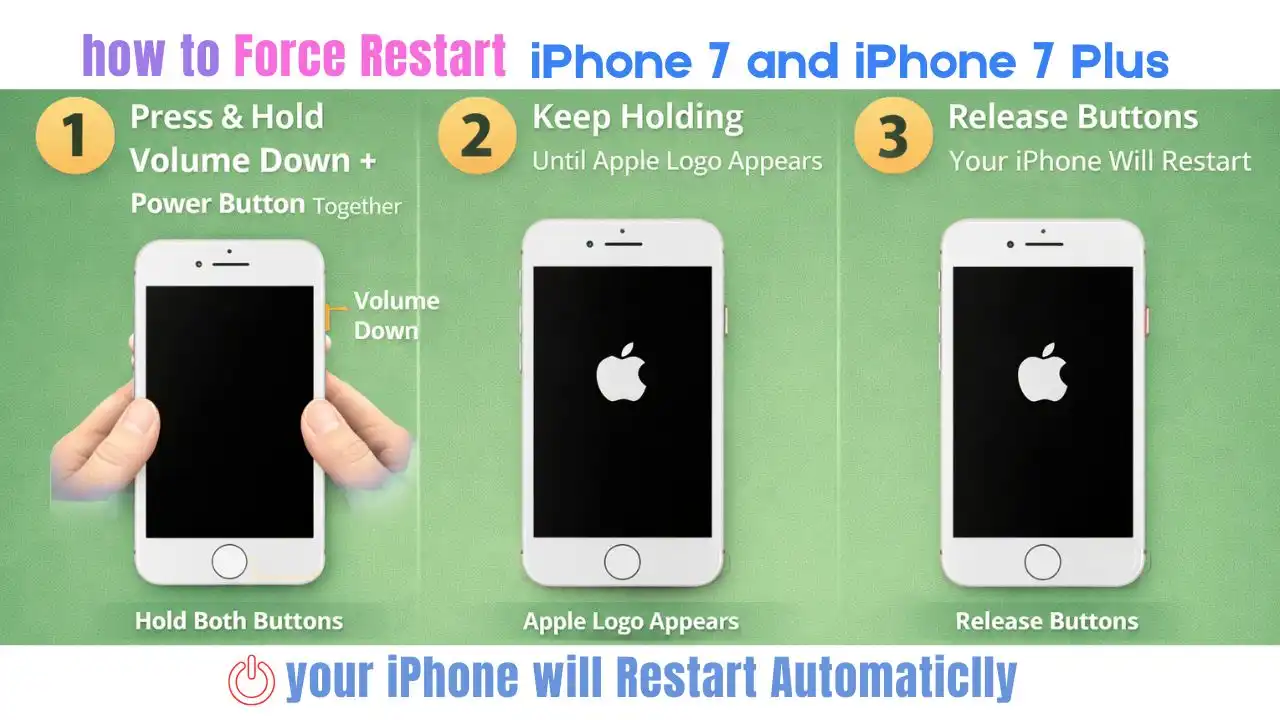
Press and hold the Volume Down and Power Button simultaneously until the iPhone restarts. As soon as the Apple logo appears, release the buttons.
iPhone 8, 8 Plus and iPhone SE (2nd Generation)
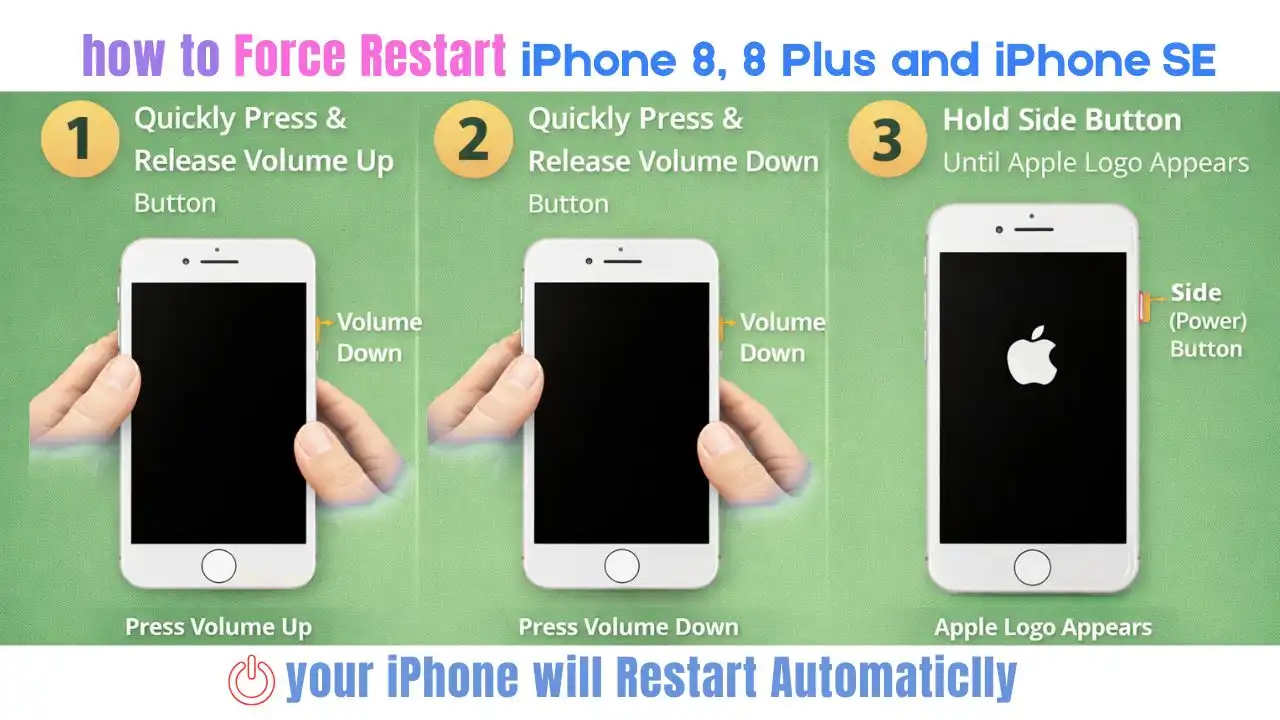
First, quickly press and release the Volume Up button, then quickly press and release the Volume Down button. Now press and hold the Power Button. When the phone restarts and the Apple logo appears, release all the buttons.
iPhone X to iPhone 17 Pro Max (all Face ID iPhones)
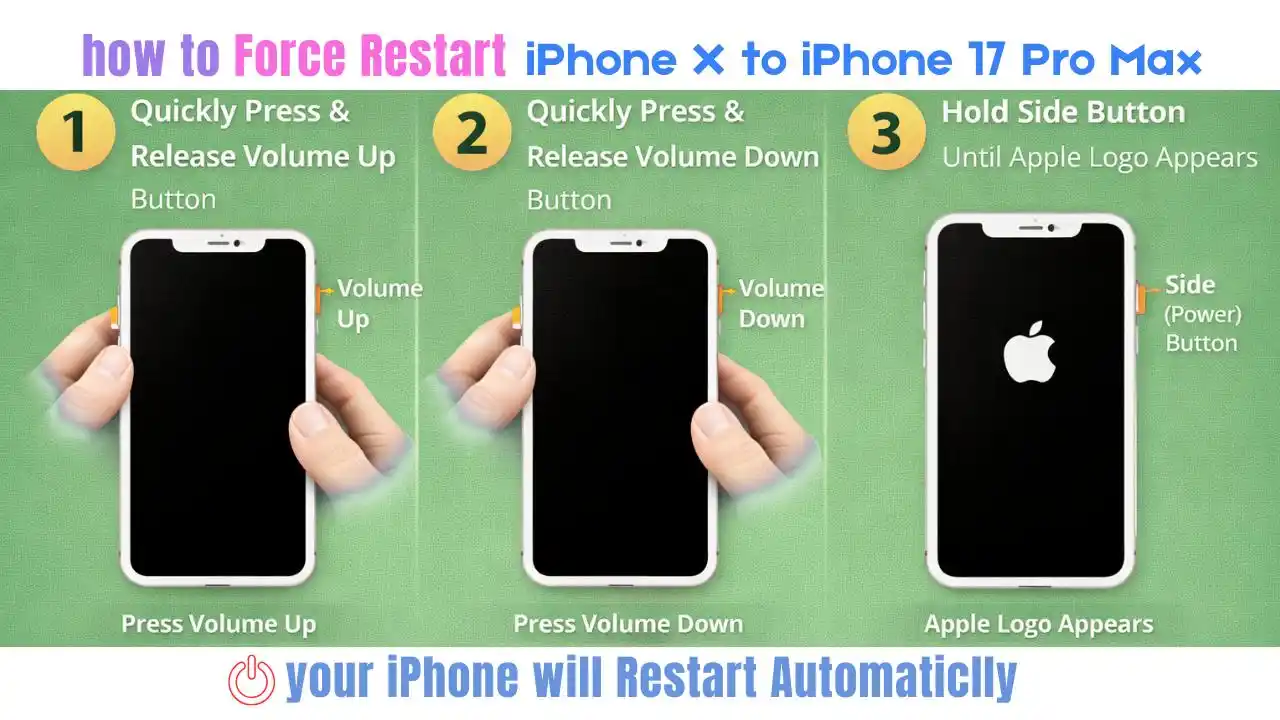
Quickly press and release the Volume Up button, then quickly press and release the Volume Down button. Now press and hold the Power (Side) Button. As soon as the Apple logo appears, release all the buttons.
By force restarting the iPhone, you will not lose any data, will not change any settings, and will not delete the digital e-SIM. There’s absolutely no need to worry, just try applying this trick once and your iPhone will restart smoothly.