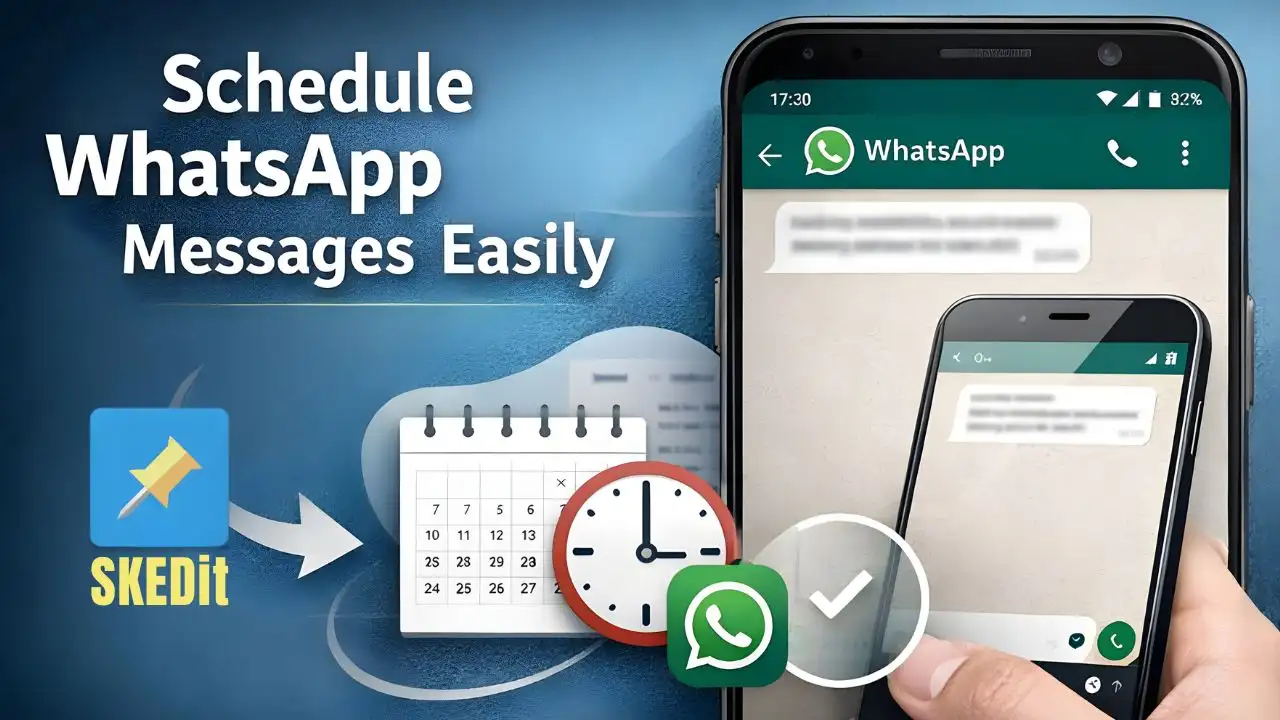
In today’s world, WhatsApp has become an important part of our daily lives. Sometimes we need to send birthday wishes to friends, sometimes important message to a client or reminder for any group etc. The problem arises when it’s not possible to use the phone at the exact time for sending a message. So here we explain how to schedule a Text Message on WhatsApp just following few simple steps.
If you’re also thinking about scheduling a message on WhatsApp in advance so that it sends automatically later, then SKEDit app can solve your problem. Before apply it know about SKEDit, what is it and how it works.
What is SKEDit App?
SKEDit is a scheduling app that gives you the option to schedule WhatsApp messages for a future date and time. This app is quite useful for both personal and business use. However, SKEDit currently only works on Android. It’s an app of about 10MB and you can easily find it on Play Store.
How to Download SKEDit App?
Open Google Play Store on your Android phone and type SKEDit Scheduling App in the search bar, you will easily find it. Just touch on it and install it.
Complete Process to Schedule a WhatsApp Message with SKEDit App
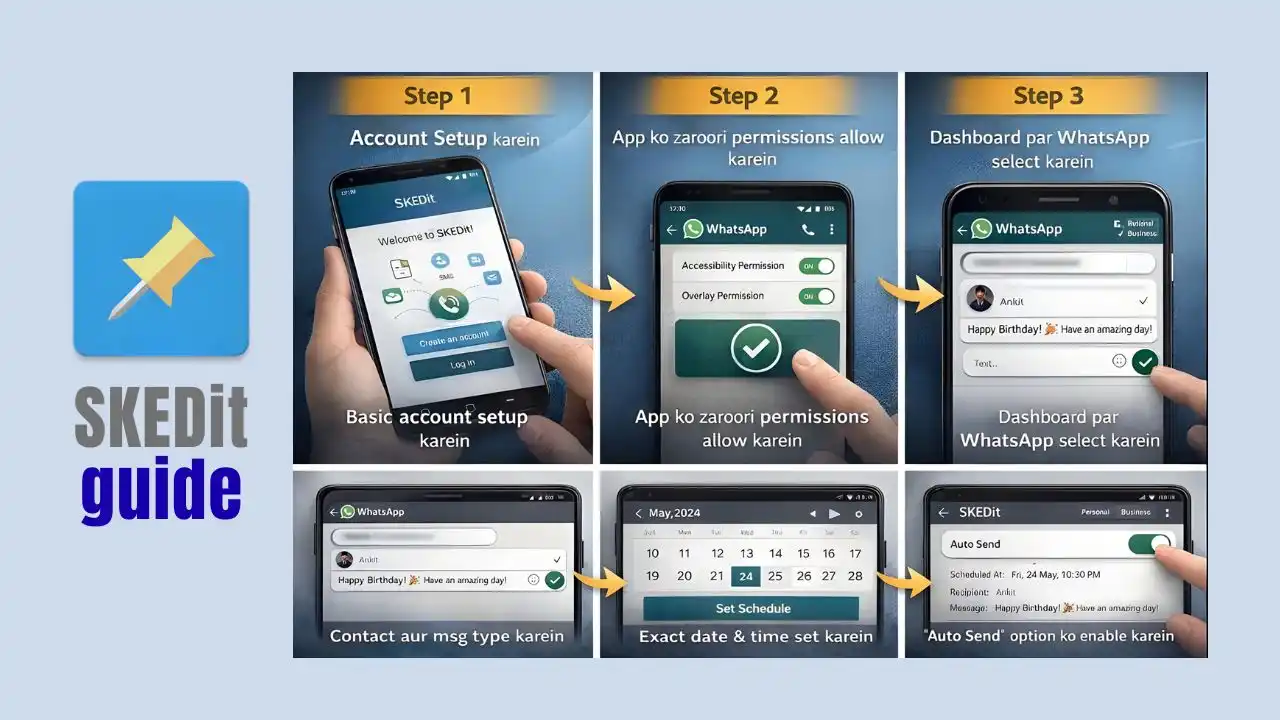
Step 1: Set Up Your Account
After opening the app, sign up or log in and complete the basic account setup. This step only needs to be done once.
Step 2: Allow Necessary Permissions
SKEDit requires some permissions to send messages on WhatsApp, like Accessibility Permission and Overlay Permission. Without these permissions app will not work properly, so you must have to allow these.
Step 3: Select WhatsApp from Dashboard
After allowing these permissions, you will see WhatsApp option on the app’s dashboard, just touch on it. Here you can choose either Personal WhatsApp or WhatsApp Business that you want.
Step 4: Select Contact and Type Your Message
After completing all setup, select a contact and write your text message in the message box.
Step 5: Set your Chosen Date and Time.
You will see a calendar icon, touch it to set a exact date, and use the clock option to set time. After that, must check the details you input is correct or not.
Step 6: Enable “Auto Send” Option.
You will see an Auto Send toggle, touch and turn it ON. This will allow your message to be sent automatically without your involvement.
Step 7: Schedule your Message.
Now, complete the process by touching on “Schedule” or “Done” button that shows on display. You will receive a confirmation your message successfully scheduled or not.
There are several advantages to using SKEDit app
- WhatsApp messages being sent automatically at your previously selected time.
- This app is perfect for birthday wishes and any reminders.
- Business follow-ups become more easy using this app.
- It may save both your time and effort.
Some Important Things to Remember
Your phone’s internet must be ON at the scheduled time, otherwise your message will not be sent.
Your WhatsApp should be updated, there might be issues with older versions.
Only allow permissions to trusted apps to secure your privacy.
If you are an Android user and want to send WhatsApp messages in an easy and reliable way by scheduling them, then this SKEDit app is the best option for you. After a little initial setup, you can easily prepare and schedule messages without any worries, and all those messages will be sent automatically at your selected time.
So, without wasting any time, try SKEDit once. If you find it easy, start using it today. You will see that your busy life will definitely become easier, and your relatives will start giving you more importance.
FAQs
Can you schedule direct messages on WhatsApp?
No, WhatsApp does not currently have a direct Schedule Message feature. WhatsApp does not support this, so you must have to try any alternative method.
What is the safest way to schedule WhatsApp messages?
The safest way is to use trusted third-party apps or your phone’s built-in automation features. Android users have the option of WhatsApp Business or automation apps, on the other hand iPhone users can use a workaround through Shortcuts app.
Is message scheduling possible in WhatsApp Business?
Yes, WhatsApp Business provides Away Messages and Greeting Messages, which allow you for automated messaging at a limited level. However, scheduling personal messages at a precise time, like in regular WhatsApp, is not directly possible for you.
Are third-party apps safe for scheduling WhatsApp messages?
Every third-party app is not safe. Some apps request excessive permissions that can create privacy risks. So always use only highly-rated, trusted apps and never share your WhatsApp account details to someone.
Is it possible to schedule WhatsApp messages without an app?
No, It’s not possible without third-party app on android and on iPhones, there’s no direct scheduling option for WhatsApp either, but you can use reminders or a semi-automatic method using automation.
Do scheduled WhatsApp messages directly send without internet connection?
No, an active internet connection is necessary for WhatsApp messages to be sent automatically. If there is no internet connection at the scheduled time then your message will not be sent.
Does scheduling messages on WhatsApp carry account banned risk?
If you use unofficial apps or unsafe automation tools, there might be a risk of your WhatsApp account being banned. So, using official WhatsApp, WhatsApp Business or trusted automation methods is the best and safest option.